
Products
Twenty Minutes Looking for a Snare. Splice Built a DAW Around the Folder
Splice’s Mac-beta DAW brings its sample catalog, voice commands and a teaching pointer into one session. The musical test comes after the launch demo.
AI-assisted
AI assisted with research and writing; the article was revised under editorial direction and checked against the linked sources.
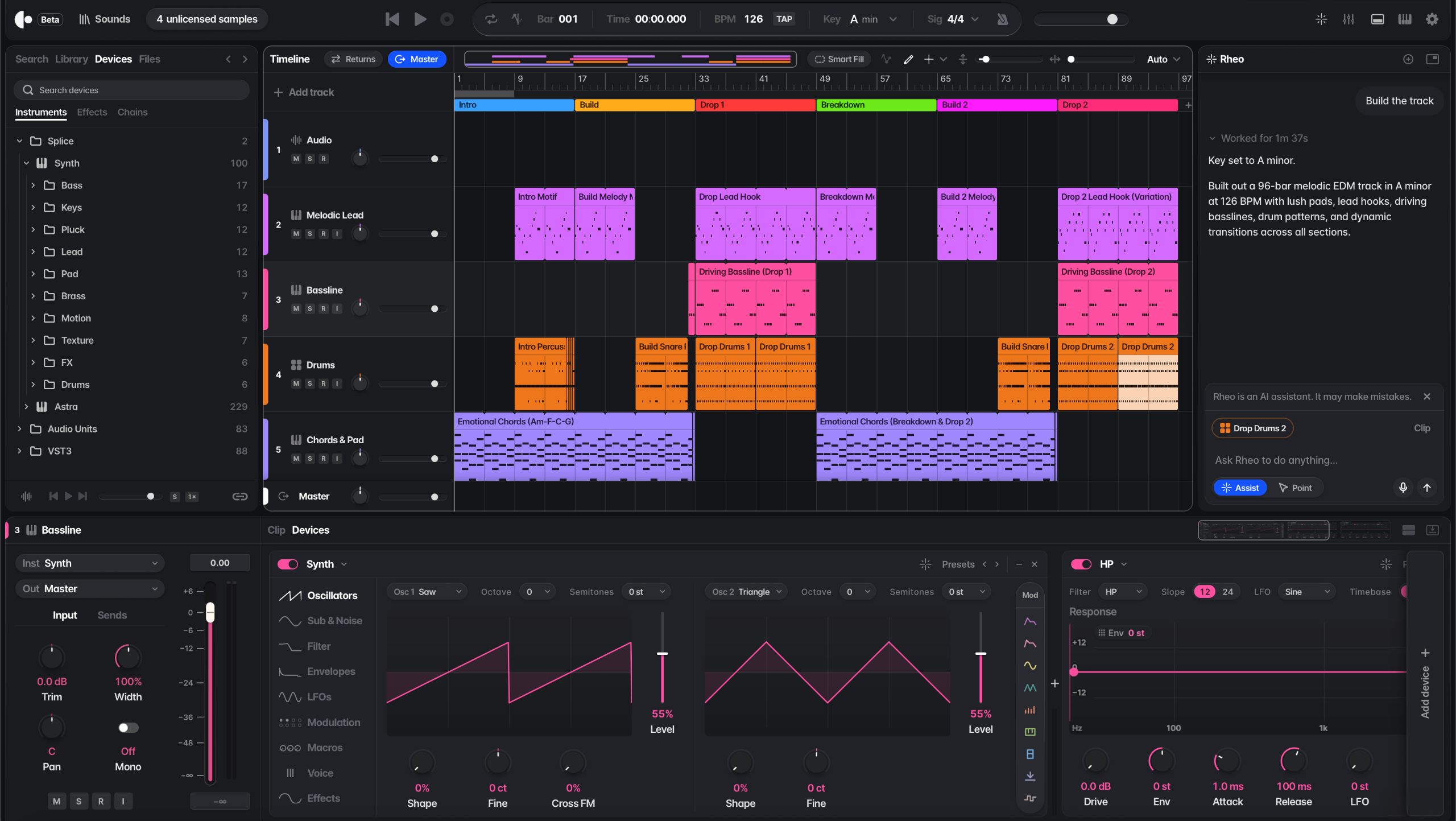
A session usually stalls in the browser window, not on the keyboard. You have four bars of a synth chord progression, you open a sample manager to find a snare with a dry tail, and twenty minutes later you are still auditioning files, routing drum buses by hand and momentum has left the room.
On 5 November, Splice introduced Create, a standalone digital audio workstation released in Mac beta, with Windows and web versions listed as next in line. Rather than treating its sample catalog as a warehouse you drag files out of, the company built a session environment directly around its sounds, instruments and effects.
The interface leans on voice and text commands to handle studio housekeeping. In Splice’s account of the workflow, a producer can ask the system to pull matching sounds from the catalog, group a drum kit, drop effects onto a chain or handle routine session setup without clicking through nested menus. A separate feature called Point Mode walks less experienced users across the screen, highlighting controls and explaining production techniques inside the project itself.
Unlike closed browser generators that spit out a finished stereo file and lock you out of the mix, Create is pitched as part of a larger studio chain. The announcement notes support for third-party VST plugins and audio export so a sketch started in Create can move into another DAW for finishing.
How cleanly a spoken command alters a live drum bus—and what catalog licensing terms travel with an exported session—cannot be judged from a launch post or MusicRadar’s 5 November coverage. That requires running a track from an empty timeline to a bounced master.